
Download Outlook Email Extractor – extract emails from Outlook, extract contacts from Outlook, extract email addresses, Outlook contacts extractor, extract emails from PST files, extract emails from Outlook files, extract contacts from PST files, extract email addresses from Outlook
Overview
Outlook Email Extractor is a mobile application designed to assist users in retrieving email addresses and contact information from Outlook data files. The app specializes in extracting data from PST files, which are commonly used by Microsoft Outlook to store emails, calendars, and contact details. This functionality is particularly useful for users who need to migrate or back up contact information from Outlook to other platforms or email clients. The app is intended for individuals and professionals managing large volumes of Outlook data, especially those transitioning between email systems or consolidating personal and business contacts.
By focusing on PST file extraction, the app addresses a specific technical need: the ability to isolate and export email addresses and contact details without requiring access to a full Outlook installation. This makes it a practical tool for users who rely on mobile devices for data management tasks. The app supports the extraction of email addresses and contact records, enabling users to maintain continuity in communication during system changes or device upgrades. Its purpose is to simplify the process of data portability for Outlook users.
The developer did not provide additional technical details about the app’s development background or history. However, the app’s focused functionality suggests it was built with a clear objective in mind: to deliver a lightweight, efficient solution for extracting email data from PST files on mobile devices. Real-world use cases include backing up contacts before switching to a new email service, transferring data between personal and work accounts, or preparing contact lists for marketing or communication campaigns. In the broader app ecosystem, Outlook Email Extractor fills a niche role by offering a mobile-first approach to a traditionally desktop-bound task.
Key Features & Functionality
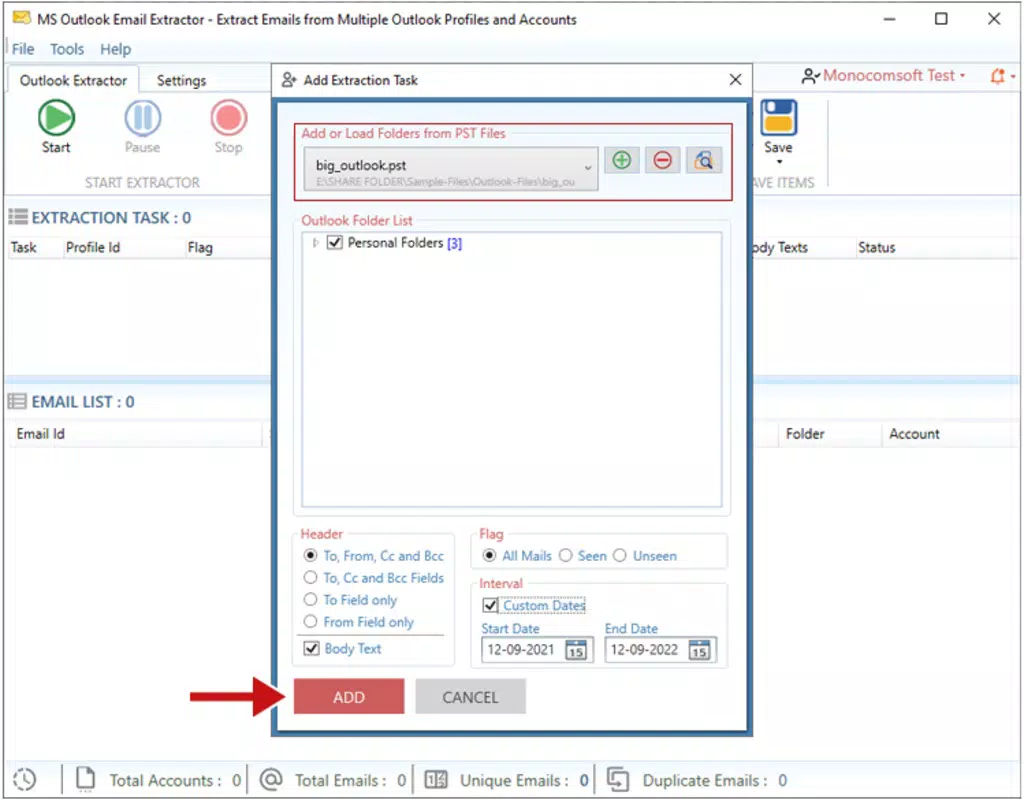
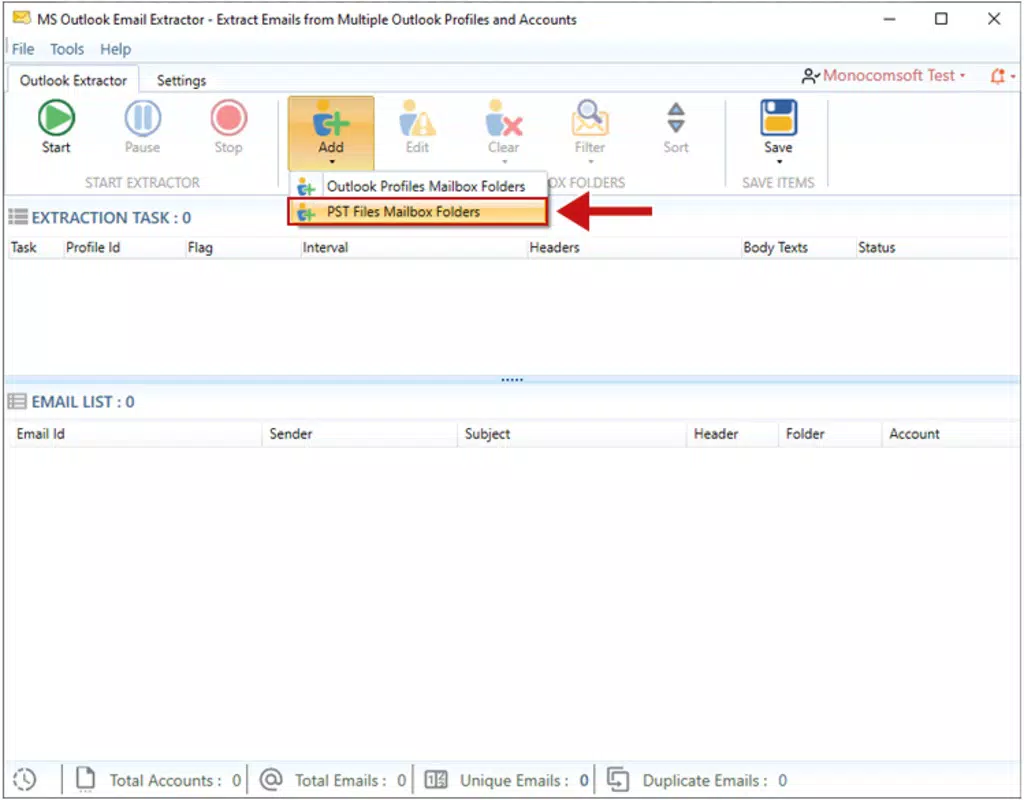
- PST File Extraction – The app enables users to load and parse PST files stored on their device, extracting all available email addresses and contact details. This is essential for users who have Outlook data stored locally and wish to retrieve specific information without relying on a desktop client.
- Email Address Extraction – It identifies and isolates individual email addresses from Outlook messages and contact entries, allowing users to compile clean, usable lists for import into other platforms.
- Contact Information Retrieval – Users can extract full contact details such as names, phone numbers, and email addresses, making it easier to maintain comprehensive contact databases.
- Mobile Accessibility – Designed for Android, the app allows users to perform extraction tasks directly from their smartphones or tablets, offering convenience and flexibility for on-the-go data management.
- Lightweight Processing – With a file size of 4.5 MB, the app is optimized for minimal resource usage, ensuring smooth performance even on devices with limited storage or processing power.
For example, a professional managing multiple Outlook accounts might use the app to compile a unified contact list from various PST files. A small business owner could extract client email addresses from a legacy PST file to use in a new email marketing campaign. The app’s ability to process files directly on the device enhances privacy, as no data is uploaded to external servers. This makes it a secure choice for handling sensitive contact information. The extraction process is streamlined to minimize user effort, with intuitive file selection and clear output formatting.
Interface, UX & Performance
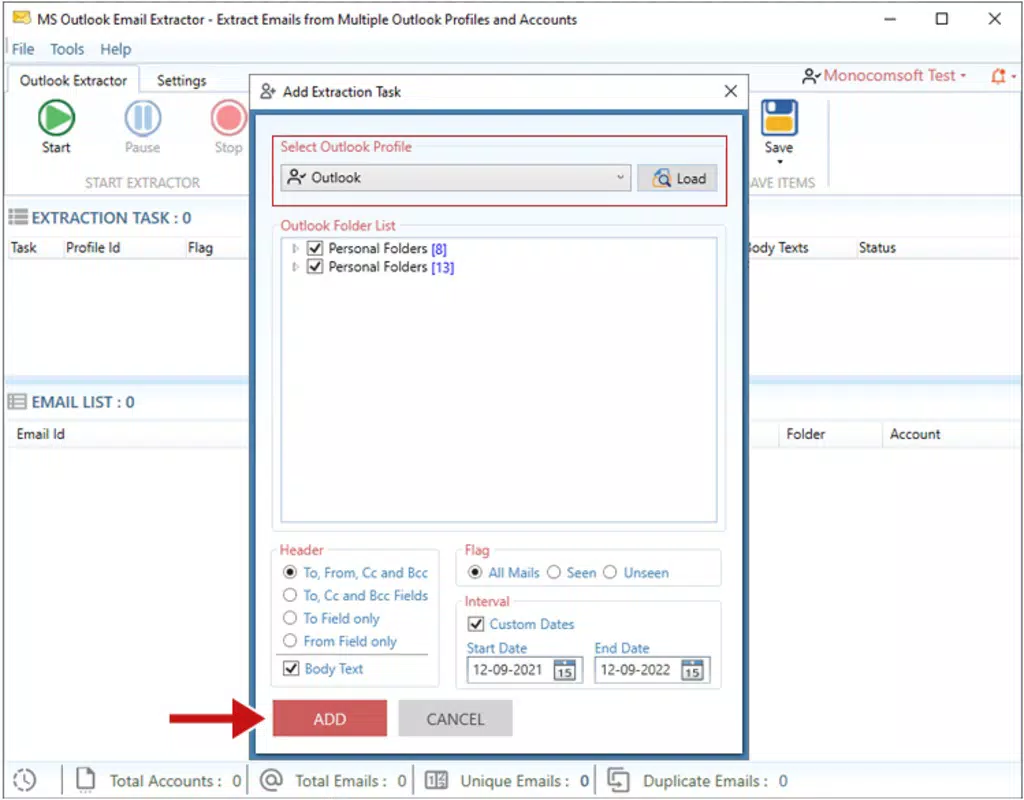
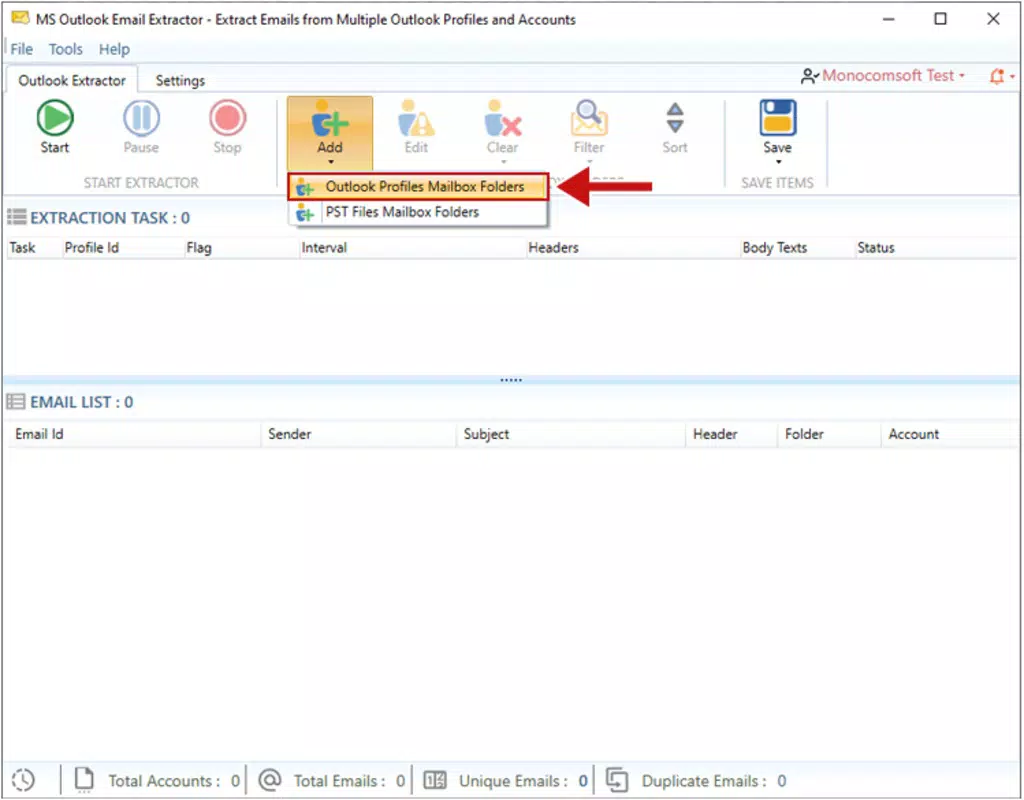
The user interface of Outlook Email Extractor appears to be designed with simplicity and functionality in mind. The layout is likely minimal, focusing on core tasks such as file selection, extraction initiation, and output display. Navigation is expected to follow a linear flow: users select a PST file from their device storage, initiate the extraction process, and receive the results in a structured format. The visual style is likely clean and utilitarian, prioritizing readability and ease of access over decorative elements.
Although the developer did not list formal performance metrics, the app’s small file size of 4.5 MB suggests it is optimized for efficiency. It is expected to load quickly and respond promptly to user inputs, even on mid-range Android devices. Responsiveness during file processing is likely to be stable, with minimal lag or crashes during extraction. The app’s lightweight nature reduces the risk of memory overload, contributing to consistent performance across different device categories.
Stability is a critical factor for any data extraction tool, and the app appears to be designed with reliability in mind. Users can expect consistent behavior when handling standard PST files, though complex or corrupted files may lead to incomplete results. The developer did not specify error handling mechanisms, but the app’s focus on core functionality implies it is built to manage common file formats and extraction scenarios. Overall, the user experience is likely to be smooth for users seeking a straightforward solution to extract email data from Outlook files.
Platform Compatibility & Technical Requirements
Outlook Email Extractor is available exclusively on the Android platform. The app is compatible with Android devices that support the specified software version, though the developer did not list formal minimum OS requirements. The app’s file size is 4.5 MB, which indicates it is designed for efficient storage usage and quick installation. This small footprint makes it accessible on a wide range of Android devices, including those with limited storage capacity.
Users must ensure their device has sufficient storage space to hold both the app and the PST files they intend to process. The app does not require an internet connection to function, as all data processing occurs locally on the device. This enhances privacy and security, especially when handling sensitive contact information. Specific requirements such as RAM, CPU, or screen resolution were not disclosed by the developer. However, the app’s lightweight design suggests it is suitable for use on a broad range of Android smartphones and tablets, including entry-level models.
Pros and Cons
Pros
- Free to download and use, offering cost-effective access to email extraction functionality.
- Small file size (4.5 MB) ensures fast installation and minimal storage impact.
- Processes PST files directly on the device, preserving data privacy and security.
- Designed for mobile use, enabling on-the-go access to Outlook data.
- Extracts email addresses and contact details from Outlook files efficiently.
Cons
- The developer did not provide detailed technical specifications or system requirements.
- Compatibility with older or non-standard PST file formats was not confirmed.
- No information was shared about error handling or recovery for corrupted files.
- Limited to Android platform; no support for iOS or other operating systems.
- Specific user interface details, such as dark mode or export formats, were not disclosed.
FAQ
Is Outlook Email Extractor safe to use?
The app processes files locally on the device and does not upload data to external servers. This ensures that sensitive contact information remains private and secure during extraction.
Can I use this app on my iPhone or iPad?
Currently, Outlook Email Extractor is only available for Android devices. There is no iOS version available at this time.
Do I need an internet connection to use the app?
No, the app functions entirely offline. All file processing occurs locally on your device, so no internet connection is required.
What types of files can the app extract data from?
The app is designed to extract email addresses and contact information from PST files, which are the standard file format used by Microsoft Outlook for storing email data.
How do I update the app?
Updates are typically available through the Google Play Store. Users should check for updates directly in the store to ensure they have the latest version.
Final Thoughts
Outlook Email Extractor delivers a focused and practical solution for users who need to extract email addresses and contact details from PST files on their Android devices. Its lightweight design, offline functionality, and privacy-first approach make it a compelling choice for individuals and professionals managing Outlook data. While the app lacks detailed technical documentation and platform diversity, its core functionality is well-executed and accessible.
It is particularly valuable for users who want to back up contacts, migrate data between email systems, or compile contact lists without relying on desktop software. The free price point further enhances its appeal, making it an accessible tool for a wide audience. For those seeking a secure, mobile-based method to extract Outlook data, this app offers a reliable and efficient option.
Download Outlook Email Extractor now


